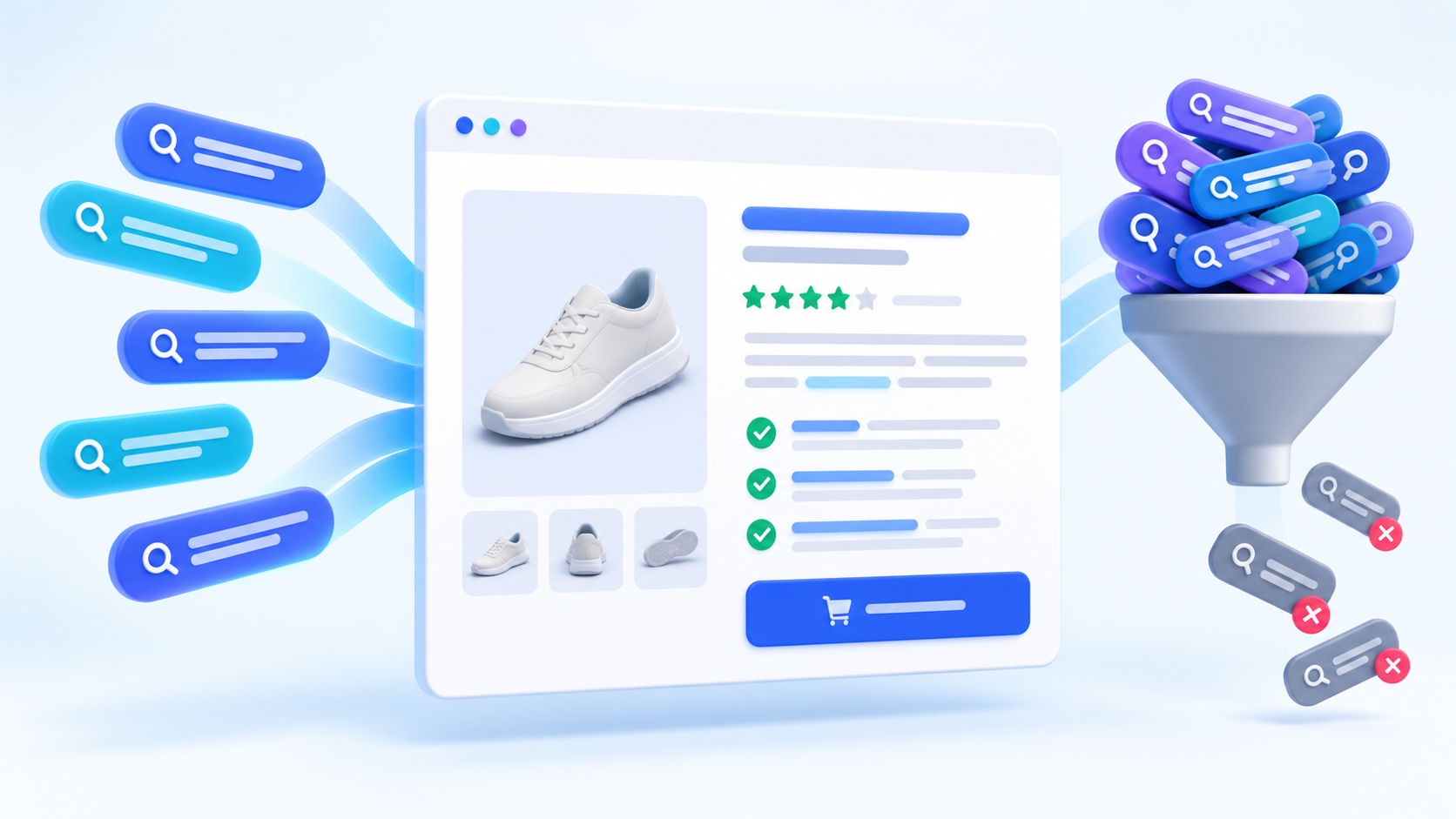
Product page SEO often goes wrong after the keyword research is finished. A team finds a primary keyword and ten related phrases, then tries to place all of them in the title, heading, description, image names, and footer. The result sounds repetitive, obscures the offer, and still may not match what the shopper wants.
A stronger approach gives every term a job. Use one primary keyword to define the page, a small set of supporting terms to describe the product naturally, and buyer questions to shape useful sections. This guide shows exactly where ecommerce keywords belong and how to optimize a product page without keyword stuffing.
Start With One Search Intent, Not a Bag of Keywords
Before editing the page, confirm that the target terms describe the same product and the same search intent. A product page is designed for someone evaluating or buying a specific item. Informational terms such as “how to choose,” broad category terms, and comparison queries may deserve supporting pages instead.
Build a compact keyword set:
- Primary keyword: the clearest searched name for the product.
- Two to five supporting terms: close variants and important attributes that apply to the item.
- Buyer language: materials, dimensions, compatibility, audience, use case, care, delivery, or other details customers need.
- Questions: queries that can be answered accurately on the page or in a linked guide.
For a recycled canvas laptop sleeve, the primary term might be recycled laptop sleeve. Supporting terms could include 13-inch laptop case, padded canvas sleeve, and eco-friendly laptop cover if every claim is true. A term such as best laptop bag for travel has broader comparison intent and should not be forced onto this one product page.
Where to Use Keywords on a Product Page
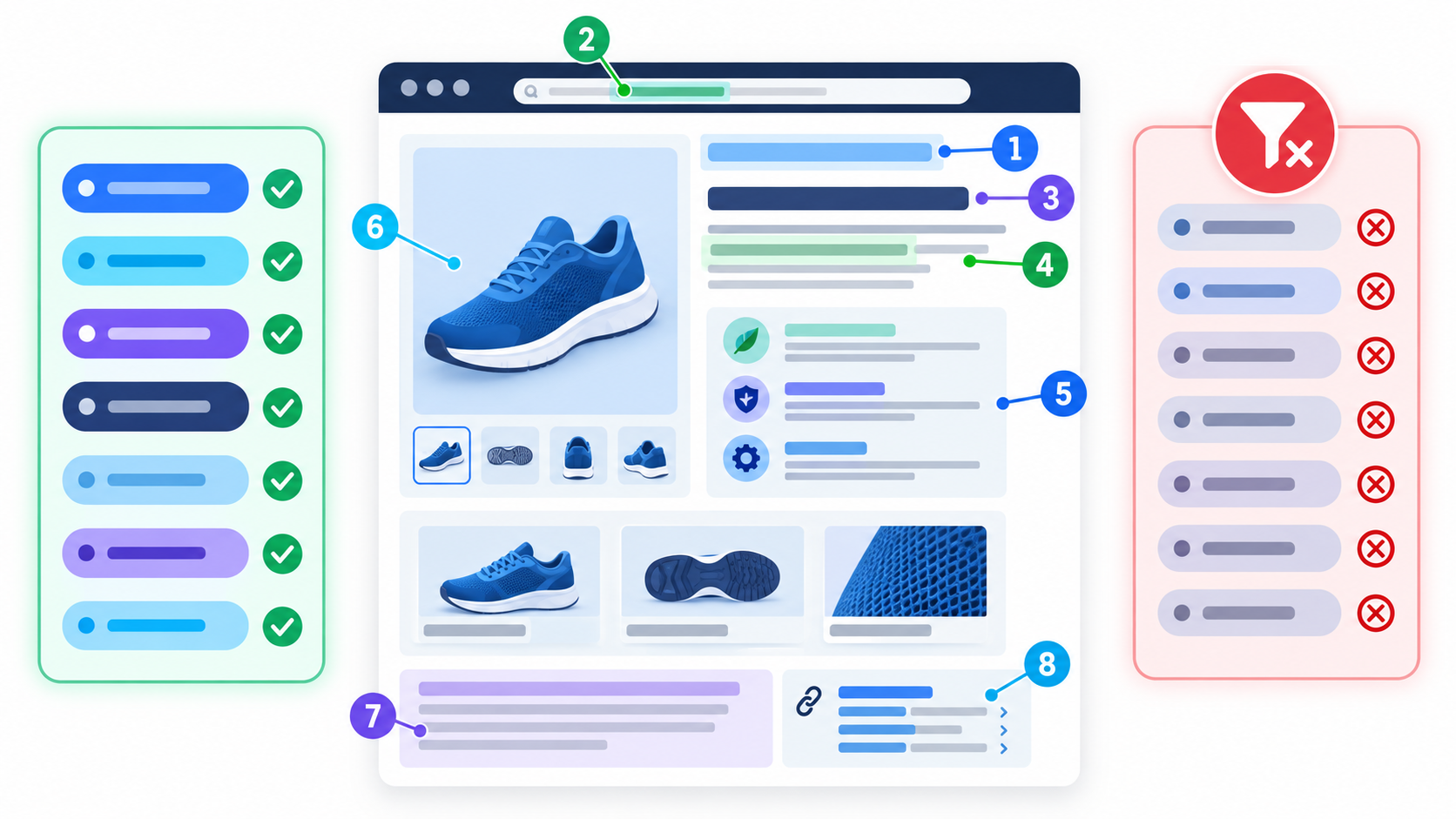
1. SEO Title
Write a distinct, concise title that identifies the product immediately. A useful pattern is:
[Primary product term] – [Important attribute] | [Brand]
Example: Recycled Laptop Sleeve – Padded 13-Inch Case | Northline
Do not repeat singular, plural, reordered, and near-identical forms. Google’s title link guidance recommends descriptive, concise titles and specifically warns against unnecessary repetition and keyword stuffing. Google may also use the visible main heading and other prominent text when generating a search result title, so keep the title and H1 aligned.
2. URL Slug
Use a short, readable slug when creating a new product URL, such as /products/recycled-laptop-sleeve/. Avoid IDs as the only descriptive element when you control the URL. Do not casually change an established URL simply to add a keyword; a redirect and updates to internal links, canonical tags, and feeds may be required.
3. H1 Product Name
The H1 should be the clear on-page product name. It can be slightly more natural than the SEO title, but it should not describe a different item or intent.
Good: Recycled Canvas Laptop Sleeve
Weak: Best Cheap Eco Laptop Sleeve Case Cover for MacBook and Notebook
A product page normally needs one visually dominant main heading. Variant names, feature sections, specifications, and FAQs belong under lower-level headings.
4. Opening Product Summary
Use the first 50–100 words to answer four buyer questions: What is it? Who is it for? What makes it useful? What should the visitor do next?
Include the primary term once if it fits naturally. Then describe the differentiator. This paragraph is more valuable than a generic manufacturer description because it establishes relevance and gives shoppers a reason to continue.
5. Feature and Benefit Sections
Supporting keywords work best where they add specific information. Instead of repeating the product name, write sections around real decisions:
- materials and construction;
- size, fit, and compatibility;
- use cases and intended audience;
- care, installation, or setup;
- shipping, returns, warranty, or customization.
A heading such as “Padded Protection for 13-Inch Laptops” is useful because it communicates a feature and naturally contains a relevant phrase. “Recycled Laptop Sleeve Keywords” is written for a crawler rather than a customer.
6. Image File Names and Alt Text
Name image files descriptively before upload when practical, such as recycled-canvas-laptop-sleeve-green.jpg. Write alt text for the actual image: Green recycled canvas laptop sleeve with front pocket.
Alt text exists primarily to describe images for people who cannot see them and to help systems understand visual content. Do not paste the same keyword-rich phrase into every product image. Different angles should have different accurate descriptions; decorative images can use empty alt text.
7. Meta Description
A meta description should summarize the product and make the result worth clicking. Include the primary phrase when it reads naturally, followed by a concrete benefit or differentiator and an honest offer detail.
Example: Protect a 13-inch laptop with a padded recycled canvas sleeve, soft lining, and a practical front pocket. View colors, dimensions, and delivery options.
The description does not need every modifier. Google may show a different snippet when another passage better answers the query, so the page copy itself still matters.
8. Internal Links
Link to the product from relevant category pages, guides, comparisons, and related products with concise anchor text that describes the destination. Avoid dozens of identical sitewide anchors.
Internal links also communicate hierarchy. Google’s ecommerce documentation says links between navigation, categories, subcategories, and products help it discover pages and understand their relative importance. A product that is reachable only through an internal search box may be difficult for a crawler to find.
9. Product Structured Data
Structured data is not a place for extra keywords. It is a machine-readable description of visible facts such as product name, image, offer, availability, brand, identifier, rating, and review data. The markup must match what shoppers can see on the page.
Valid product data can make a page eligible for richer search appearances, but eligibility does not guarantee that a rich result will show. Follow Google’s ecommerce search documentation and test the final markup rather than adding unsupported claims.
A Product Page SEO Template
Use this structure as a starting point:
- SEO title: primary product term + one differentiator + brand.
- H1: clear product name.
- Opening summary: product, audience, primary benefit, and CTA.
- Key benefit bullets: scannable reasons to choose the item.
- Detailed sections: materials, fit, features, use cases, and care.
- Specifications: structured factual information.
- Proof: authentic reviews, examples, policies, and guarantees.
- FAQ: product-specific questions that reduce purchase uncertainty.
- Related links: the parent category, complementary products, and useful guides.
For product titles specifically, see our guide to generating ecommerce product titles with AI. It explains how dimension word banks can control material, technique, audience, and use-case terms without producing mechanical keyword stacks.
How to Use Long-Tail Keywords Without Creating Thin Variants
Long-tail terms often describe meaningful differences, but they do not automatically require separate pages. Create a separate URL when the visitor needs a distinct selection, offer, or experience. Keep terms on one page when they are merely alternate wording for the same item.
For example:
- 13-inch recycled laptop sleeve and recycled sleeve for 13-inch laptop belong on one page.
- A sleeve made for a different device size may need a selectable variant or separate URL, depending on inventory and platform behavior.
- How to measure a laptop for a sleeve may deserve a guide that links to all compatible products.
Read our explanation of long-tail keywords before turning every modifier into a new page.
Keyword Stuffing Warning Signs
Google defines keyword stuffing as filling a page with repeated words or numbers in an attempt to manipulate rankings. Watch for these practical warning signs:
- the same product phrase appears in several consecutive sentences;
- the title reads like a list of synonyms;
- headings exist only to hold keyword variants;
- alt text is identical across every image;
- city, color, size, or model lists add no useful information;
- copy sounds unnatural when read aloud.
If removing a phrase makes the page clearer without deleting useful product information, remove it. The aim is complete product coverage in the customer’s language, not a target keyword density.
Product Page SEO Audit Checklist
- Does the primary keyword describe the exact product and match transactional intent?
- Are the SEO title and H1 clear, distinct, and consistent?
- Is the description original and useful rather than copied from a supplier?
- Do supporting terms appear only where they add accurate detail?
- Are important specifications available as readable text?
- Do images have accurate, non-repetitive alt text?
- Can visitors and crawlers reach the page through normal links?
- Does the page link back to its category and to useful supporting content?
- Does structured data match visible price, availability, and product details?
- Is there a canonical strategy for variants and filtered URLs?
- Does the mobile page load quickly and make the buying action obvious?
FAQ
How many keywords should a product page target?
Use one primary keyword and a small group of close, relevant supporting terms. There is no ideal count. The terms should describe the same product and intent without forcing repetition.
Should the SEO title and product H1 be identical?
They can be, but they do not have to be. Keep them closely aligned so both clearly identify the same product. The SEO title may include a concise brand or differentiator, while the H1 can use the natural product name.
Do product descriptions need a specific word count?
No. Use enough original content to answer the buyer’s important questions. A simple item may need only concise details, while a technical or expensive product may require specifications, comparisons, setup information, and FAQs.
Should every product variant have its own page?
Only when the variant needs a distinct, indexable experience and has unique value or demand. Otherwise, use a clear variant selector and a consistent canonical strategy to avoid many near-duplicate pages.
Give Every Keyword a Useful Job
The best product page SEO is precise. The primary term identifies the page, supporting terms clarify the offer, and questions improve the buying experience. When the copy accurately describes the product and helps a visitor decide, keyword coverage becomes a by-product of useful content instead of an exercise in repetition.
Plan Keywords helps ecommerce teams find product terms, evaluate demand, classify intent, organize dimension word banks, and generate readable title directions. Use the research to choose the page’s focus, then write for the customer who must understand and trust the product.