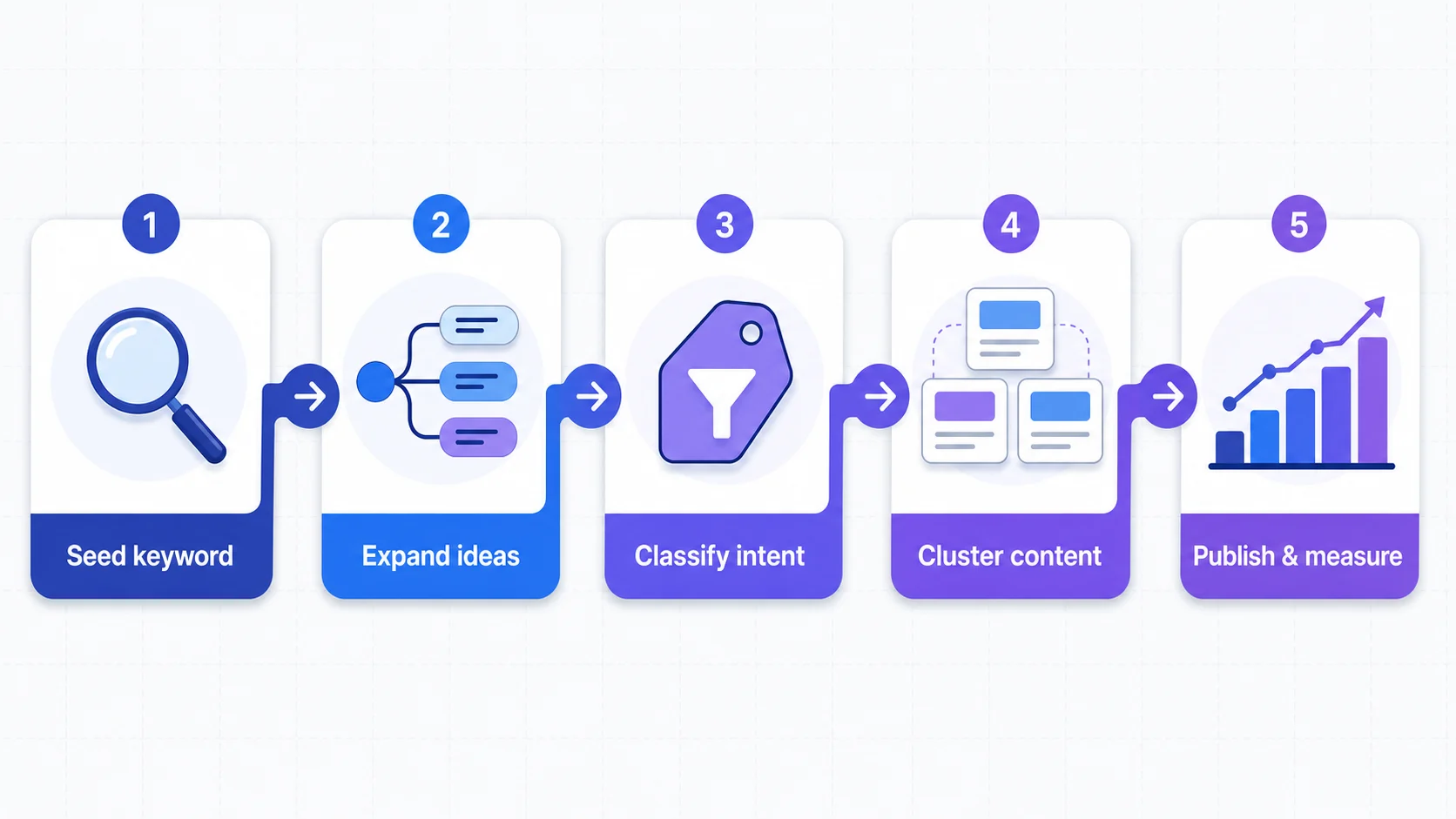
If you run an online store, ranking on Google is the difference between free traffic and burning cash on ads forever. The foundation of that organic traffic is keyword research for ecommerce – finding the exact words your customers search, understanding which ones lead to sales, and building pages around them.
This guide covers why it matters for ecommerce specifically, a step-by-step process, tools, common mistakes, and how to turn research into product titles and landing pages that rank.
Why Keyword Research Matters for Ecommerce Specifically
Ecommerce SEO has a sharper edge than content-site SEO. A blog monetizes a reader who clicks an ad; a store only wins when someone adds to cart. That changes what “a good keyword” means.
Commercial Intent Is Everything
Search intent trumps search volume. “What is a t-shirt” pulls thousands of curious searches a month, but few of those people are ready to buy. “Custom t-shirt printing” has fewer searches, but the people typing it have their wallets out. Ecommerce keyword research is largely the art of filtering a giant list down to terms with transactional or commercial-investigation intent.
Each Product Page Is Its Own SEO Asset
A blog might publish 200 articles and let a handful carry the site. Ecommerce stores live and die by hundreds of product and category pages, each competing for a narrow keyword cluster. Keyword research for ecommerce isn’t a one-time exercise – it’s a per-SKU, per-category discipline. Every product title, every collection description, every alt tag is a chance to capture demand.
Paid Ads Make You Pay for Ignorance
If you don’t know which keywords convert, you bid on the broad, expensive ones in Google Shopping or Search ads. Good research tells you which long-tail terms bring buyers at a fraction of the cost.
Step-by-Step: A Repeatable Ecommerce Keyword Research Process
A structured process keeps you from drowning in spreadsheets. Here’s a workflow that works for stores of any size.
Step 1: Start With Seed Keywords
Seed keywords are the 5–20 short phrases that describe your product category. They’re the trunk from which all your long-tail branches grow. Pull them from three places:
- Your own catalog: product names, category names, brand names.
- Customer language: support tickets, reviews, the words people use when they email “do you have…?”.
- Competitor browsing: scroll category pages on three competing stores.
If you sell custom apparel, your seed list might be: custom t-shirt, personalized hoodie, embroidered polo, custom sweatshirt. Keep it short and concrete. Vague seeds like “clothing” will explode into millions of irrelevant suggestions later.
Step 2: Expand Into Long-Tail Variants
Seed keywords are too broad to target directly – the SERPs are dominated by Amazon, Wikipedia, and big-brand homepages. You need long-tail keywords: 3–6 word phrases with lower search volume but much higher intent specificity.
Expansion tactics:
- Add modifiers: organic, cheap, premium, bulk, wholesale, eco-friendly, for kids.
- Add use cases: for gym, for work, for wedding party, for bachelorette.
- Add questions: how to design a custom t-shirt, where to print custom t-shirts in bulk.
- Add comparisons: custom t-shirt vs screen printing, best fabric for custom t-shirts.
Manual brainstorming caps out around 100 ideas, but a good expansion engine surfaces thousands of phrases with real demand. The goal isn’t to target all of them; it’s to build a pool big enough to cherry-pick winners.
Step 3: Pull Metrics – Search Volume, Difficulty, and Trends
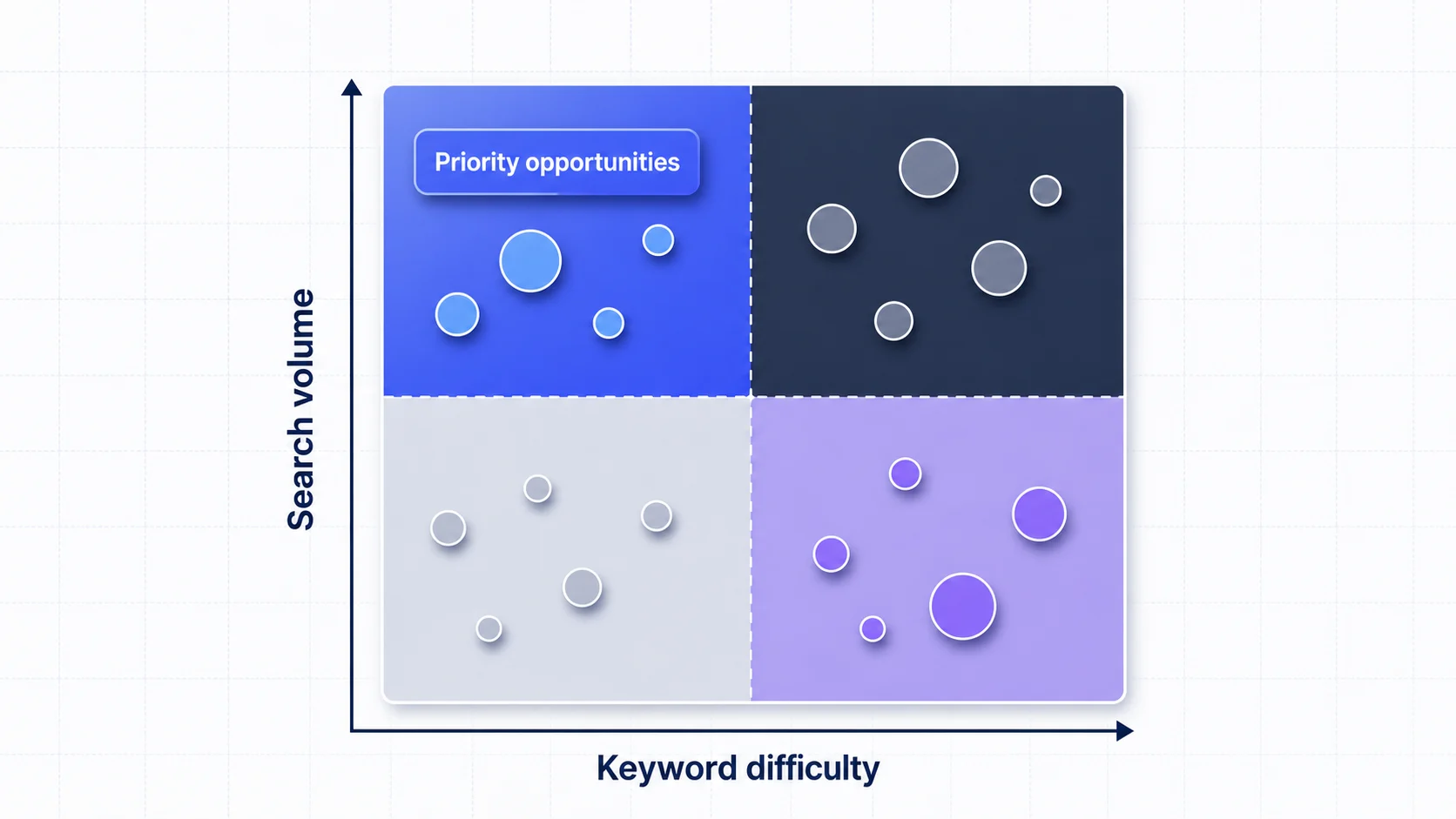
Once you have a few hundred expanded keywords, you need data to prioritize. The three metrics that matter:
- Search volume – monthly searches, ideally country-segmented. A keyword with 50 US searches/month may beat one with 5,000 spread globally.
- Keyword difficulty (KD) – a score (0–100) estimating how hard it is to rank. For a new store, under 25–30 is realistic; 50+ usually requires years of domain authority.
- Trend – is the term growing, flat, or declining? A category riding a rising trend is worth more than the raw volume suggests.
Don’t over-optimize for volume. A cluster of 10 long-tail terms at 200 searches/month each, with low difficulty and clear transactional intent, will outperform a single 20,000-search term you’ll never rank for.
Step 4: Classify by Search Intent
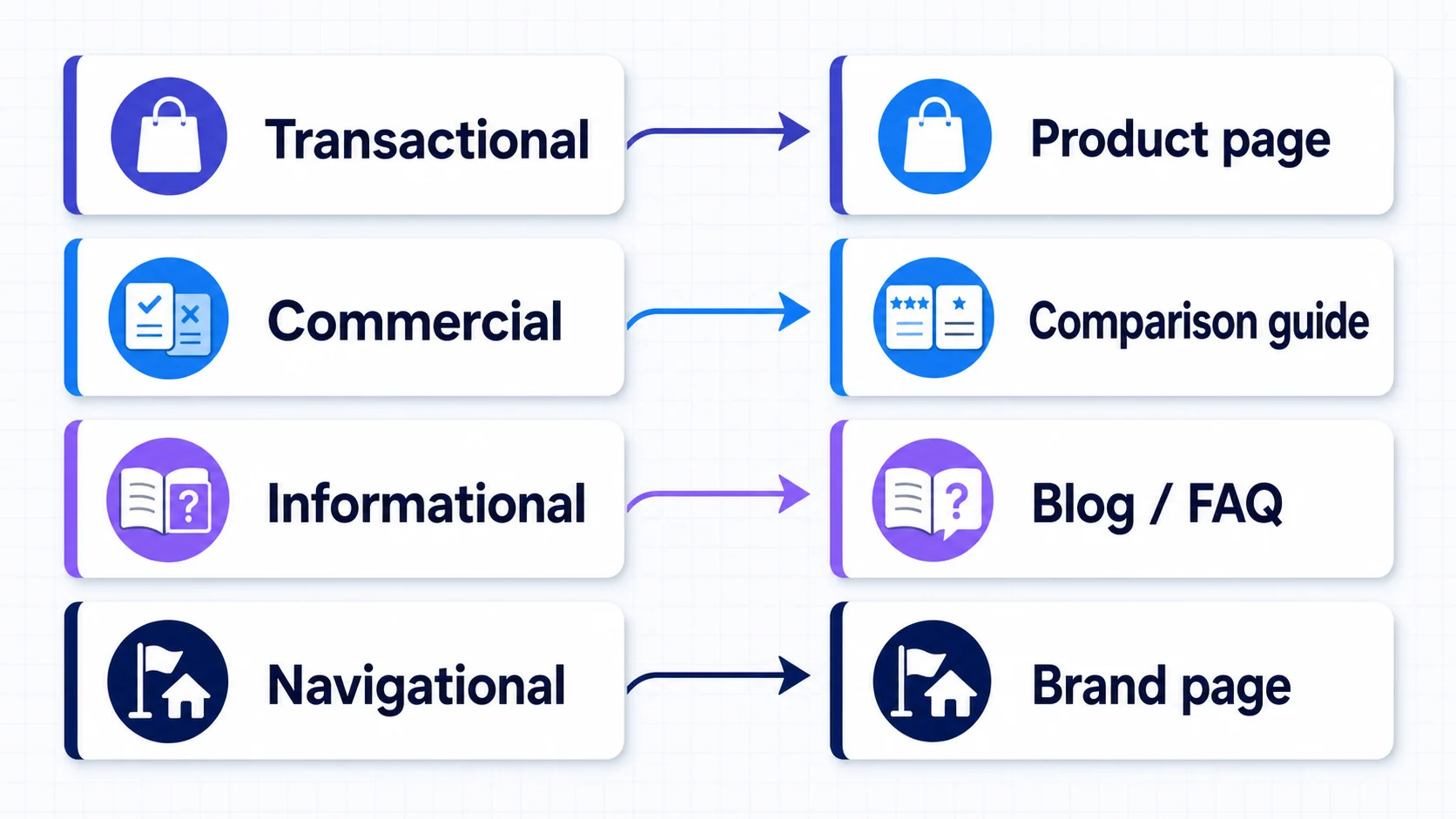
This is the step most stores skip, and it’s where the money is. Tag every keyword with one of four intent buckets:
- Transactional – buy custom t-shirt, custom t-shirt free shipping, order embroidered polo. Product-page targets.
- Commercial investigation – best custom t-shirt printer, custom t-shirt reviews. Comparison/buying-guide targets.
- Informational – how to design a custom t-shirt, what fabric is best for printing. Blog/content targets that feed the funnel.
- Navigational – brand searches; make sure branded pages and your homepage capture them.
A keyword’s intent dictates what kind of page you build. Mismatch intent and you waste the ranking: a blog post ranking for “buy custom t-shirt” puts you in front of buyers with no add-to-cart button.
Step 5: Map Keywords to Content
Map each keyword (or small cluster) to a specific page:
- Transactional -> product or category/collection pages.
- Commercial -> comparison guides, “best of” lists, buying guides.
- Informational -> blog posts, how-to articles, FAQs.
This mapping becomes your content calendar. Each row: keyword, intent, target URL, page type, priority. That’s the bridge from research to execution.
Common Mistakes Ecommerce Teams Make With Keyword Research

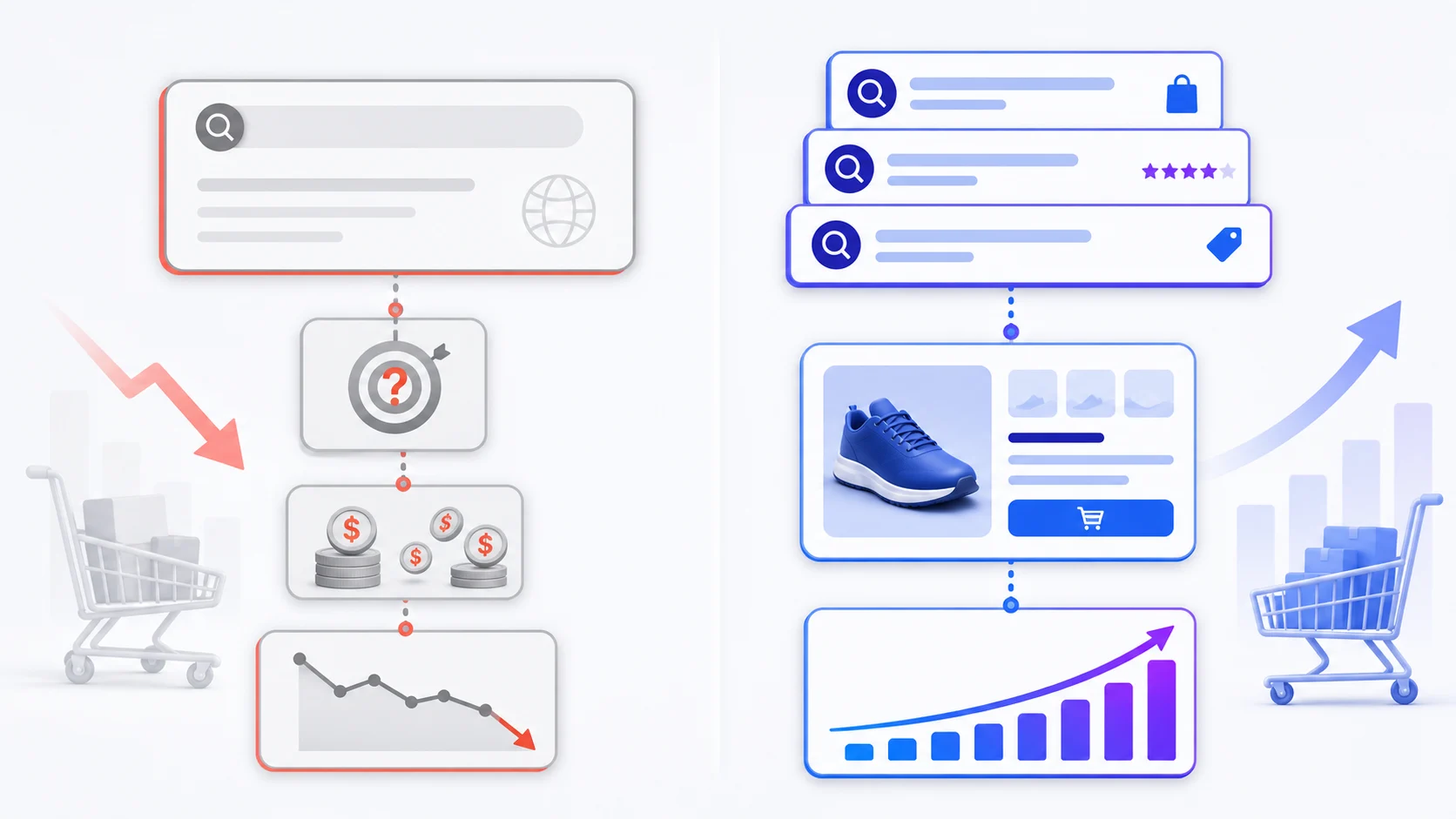
Even teams that do keyword research sabotage themselves. Watch for these patterns.
Targeting Only High-Volume Head Terms
“T-shirt” has a million searches a month. You’ll never outrank Amazon and Wikipedia, and the traffic would be mostly informational. Ecommerce wins are built on clusters of long-tail keywords with buyer intent.
Ignoring Search Intent
Ranking #3 for “custom t-shirt ideas” on a product page gets you traffic that bounces – those people want inspiration, not a checkout. Ranking #3 for “custom t-shirt bulk discount” prints money. Intent matching matters more than ranking position.
Using Product Names as Keywords Without Validation
Internal product names are often invented, not searched. If you named a product “Heritage Heavyweight Tee,” no one is Googling that phrase – they’re searching “heavyweight cotton t-shirt.” Validate every product-name keyword against real search data before committing your title tag and H1 to it.
Researching Once and Never Revisiting
Search demand shifts. A trending product six months ago may be flat now. Keyword research for ecommerce should be a quarterly refresh, not a one-and-done launch task.
Treating Keywords and Content as Separate Teams
Too often the SEO person hands a keyword list to the copywriter, who writes whatever they want and slaps the keyword in the title. The result is keyword-stuffed copy that ranks poorly and converts worse. Keywords should shape the structure of the page – the H2s, the FAQs, the feature bullets – not just get sprinkled into paragraphs.
Tools Comparison: Picking the Right Keyword Research Tool
The tool you use shapes the research you can do. Here’s an honest look at the landscape.
Google Keyword Planner (Free, But Limited)
Google’s own tool inside Google Ads is the default starting point. It’s free and pulls real Google search data. The limitations for ecommerce are real:
- Search volume is bucketed (“10K–100K”) unless you’re running ad campaigns.
- No keyword difficulty score – you’re guessing whether you can rank.
- No SERP analysis, no competitor keyword gap, no backlink data.
Keyword Planner is fine for a first pass, but not enough to run a serious ecommerce SEO program on.
Premium Suites: Ahrefs, SEMrush, Moz
The industry-standard paid tools. They give you keyword difficulty, SERP overviews, competitor research, backlink data, rank tracking, and content gap analysis. They’re powerful. They’re also expensive – typically $100–$250/month for a plan that’s actually useful, with usage caps that bite if you’re researching hundreds of SKUs.
For agencies and large stores, the cost is justified. For a solo founder or small ecommerce team, the subscription can eat more than it earns in the first year.
Local-First Tools: Plan Keywords and the Affordable Middle
There’s a third category serving the gap between “free but useless” and “powerful but $200/month.” Plan Keywords is a desktop app that runs locally (your keyword database lives in SQLite on your machine, not in someone else’s cloud) and uses a pay-as-you-go credits model instead of a monthly subscription. You bring your own AI key for keyword-cleaning and analysis, and the tool handles the seed-to-expansion-to-metrics workflow.
The tradeoff versus a full suite: no integrated backlink crawler or rank tracker. The tradeoff versus Keyword Planner: real search volume, keyword difficulty, and intent-aware expansion at a fraction of an Ahrefs subscription. For a small-to-mid ecommerce store that needs solid keyword data without enterprise pricing, it pays for itself in the first month.
No single tool is best for everyone. If you’re an agency managing 20 clients, get Ahrefs. If you’re a solo store owner with a tight budget and a Mac, Plan Keywords is a sensible default. The important thing is to use a real keyword research tool, not guess.
Turning Keyword Research Into Product Titles and Landing Pages
Research that doesn’t change what ships on your site is wasted. Here’s how to convert a finished keyword list into pages that rank and convert.
Product Titles: Front-Load the Primary Keyword
Your product title tag (and usually your H1) is the most important on-page SEO signal. The pattern that works:
[Primary Keyword] | [Brand] | [Secondary Benefit or Modifier]
Example: Custom Organic Cotton T-Shirt | Plan Prints | Soft, Sustainable, Made to Order
Rules: the primary keyword goes first, not the brand. Keep it under 60 characters so it doesn’t truncate in SERPs. Include one strong modifier (organic, custom, bulk, premium) that matches a real search variant. Avoid stuffing – three or four keywords crammed in reads as spam to both Google and humans.
Category and Collection Pages: Cluster the Long Tail
Category pages are where long-tail clusters pay off. If your research surfaced a cluster around custom t-shirt for [occasion], build a collection page per occasion: Custom T-Shirts for Weddings, Custom T-Shirts for Sports Teams, Custom T-Shirts for Corporate Events. Each targets its own cluster, with an H1, intro paragraph, and product grid that reinforces the theme.
This lets one product appear in multiple intent-specific collections (more ranking surface area) and gives internal link anchor text that’s semantically rich.
Landing Pages for Commercial Intent
Don’t force product pages to carry commercial-investigation intent. If “best custom t-shirt printing” shows up with solid volume, build a dedicated landing page: a short comparison of your printing methods, customer reviews, a pricing table, and a clear CTA into the configurator. These pages convert comparison shoppers far better than a generic product page.
Informational keywords feed the top of the funnel separately – a post like “How to Design a Custom T-Shirt: A Beginner’s Guide” ranks for dozens of informational long-tails, pulls in people early in their journey, and gives you a natural place to link into your product pages. Over time these posts build topical authority that lifts your commercial and transactional pages too.
FAQ
How often should I redo keyword research?
A full refresh every quarter works well, with a lighter monthly check on your top 20 keywords to catch trend shifts and new competitors. New product launches should trigger a focused research sprint for that category.
What keyword difficulty score should a new store target?
For a domain under two years old with modest backlinks, aim for difficulty under 25–30. As authority grows, you can compete for 40–50. Do not ignore a keyword just because difficulty is moderate if its intent and volume are strong.
Should I target the same keyword on multiple pages?
No. Each page should target a distinct primary keyword or tight cluster. Targeting the same keyword on two pages causes keyword cannibalization, making it harder for Google to decide which page should rank.
Are long-tail keywords worth the effort for ecommerce?
Yes. Long-tail keywords usually have lower competition, clearer intent, and stronger conversion potential than broad head terms. A portfolio of buyer-focused long-tail pages can outperform a small set of highly competitive keywords.
Do I need a paid keyword research tool, or is free data enough?
Free data is enough to get started, but it becomes limiting once you research multiple products or categories. A dedicated tool helps you evaluate search volume, difficulty, intent, trends, and keyword opportunities more efficiently.
Conclusion
Keyword research for ecommerce isn’t a checkbox – it’s the layer underneath every product title, collection page, blog post, and paid-ad decision your store makes. The stores that win organic traffic aren’t the ones with the biggest budgets; they’re the ones that consistently do the unglamorous work of finding the right keywords, matching them to the right intent, and building pages that serve both the searcher and the sale.
The process is straightforward: start with concrete seed keywords, expand into long-tail variants, filter by volume and difficulty, classify by intent, and map every keyword to a specific page. Avoid the common traps – chasing head terms, ignoring intent, researching once and forgetting.
If you want to put this into practice without a $200/month subscription, Plan Keywords is built for exactly this workflow – local-first, pay-as-you-go, with the seed-to-expansion-to-metrics pipeline baked in. Download it, run your first product category through the process above, and see what demand you’ve been missing.